
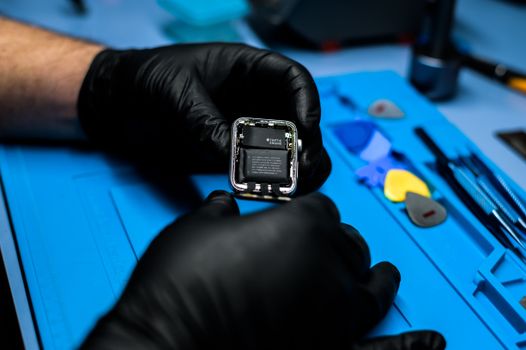
Where Can I Get My Apple Watch Repair Near Me?
Answered by MacTech Solutions.
Check These Things Before You Book a Repair
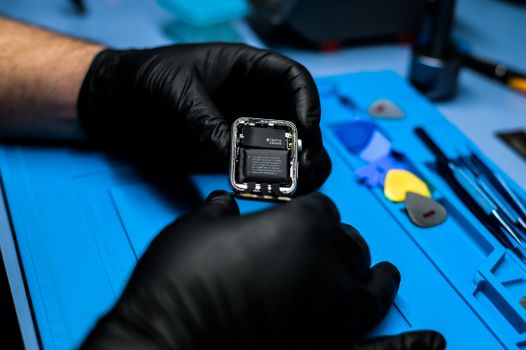
Your Apple Watch has a cracked screen, a battery that dies before lunch, or it simply refuses to charge. If you live in Wichita Falls or anywhere in Texoma, the next question comes fast: where can I get my Apple Watch repaired without a long drive? Before answering that, rule out the problems you can fix yourself in a few minutes.
- Force restart the watch. Hold the side button and Digital Crown together for at least 10 seconds until the Apple logo appears. This clears many freezes, unresponsive screens, and sync glitches.
- Clean the charger and the back of the watch. Sweat, lotion, and dust on the sensor or the magnetic puck can stop charging completely. Wipe both with a lint-free cloth lightly dampened with water.
- Try a different charger and power adapter. Worn cables are a common cause of charging failures.
- Check battery health. On the watch, open Settings > Battery > Battery Health. If maximum capacity is below 80%, a battery service is justified.
- Update watchOS and iOS. Battery drain and connection problems are sometimes fixed in software updates.
If the screen is physically cracked, the case is bent, the watch swells or separates at the edges, or it won’t power on after a restart and an hour on a known-good charger, it needs hands-on service. Stop wearing a watch with a swollen battery right away.
Your Repair Options Around Wichita Falls and Texoma
Wichita Falls doesn’t have an Apple Store, so local owners usually choose from four paths. Each one has trade-offs in speed, cost, and convenience.
- An Apple Store in the DFW area or Oklahoma City. The closest stores are roughly a two-hour drive. Book a Genius Bar appointment through the Apple Support app before you go, because walk-in slots fill quickly. Be aware that Apple often sends watches out for service rather than repairing them on the spot, so you may make the trip and still wait several days.
- Apple mail-in repair. Start a request at support.apple.com or in the Apple Support app. Apple sends a shipping box, and turnaround is typically about a week. This is often the most practical choice in Texoma if you’re covered by AppleCare+.
- Apple Authorized Service Providers. Some retailers and independent shops are authorized to use genuine Apple parts and processes. Search for providers near your ZIP code in the Apple Support app, and call ahead to confirm they service Apple Watch specifically, since many authorized providers handle only iPhone and Mac.
- Independent repair shops. A qualified local technician can often replace a screen or battery faster and for less than out-of-warranty Apple pricing. Ask whether they use quality parts, whether they offer a warranty on the repair, and whether they can preserve the watch’s water resistance seal.
What Apple Watch Repairs Typically Cost
Cost depends mostly on your coverage and on what broke. Look up your exact status first: on your iPhone, open Settings > General > About, tap your Apple Watch, and check its coverage, or enter the serial number at checkcoverage.apple.com.
- Apple’s limited warranty (one year). Manufacturing defects, such as a watch that won’t charge with no physical damage, are repaired or replaced at no cost. Accidental damage like a cracked screen is not covered.
- AppleCare+. Accidental damage, including screen and back crystal breaks, is covered for a service fee, generally around $69 for most models and a bit more for Ultra. Battery service is free if capacity has dropped below 80%.
- Out of warranty. Apple’s battery service is typically around $99 to $119 depending on the model. Screen damage is expensive because Apple usually replaces the entire watch rather than just the glass, and that price can approach the cost of a newer model.
That last point is where independent repair often makes sense. A screen-only replacement on an older Series 4 through Series 7 can cost far less than Apple’s whole-unit price. Before paying for any repair on an older watch, compare the quote against trade-in value and the price of a current model. If the repair costs more than half the price of a replacement, upgrading is usually the better investment.
How to Prepare Before You Get Your Apple Watch Repaired
A few minutes of preparation protects your health data and prevents delays at the counter. Whichever repair option you choose, follow these steps before handing over your watch:
- Make sure your iPhone is backed up. Your Apple Watch backs up through your iPhone, so confirm an iCloud backup in Settings > [your name] > iCloud > iCloud Backup. Health and Activity data sync to iCloud when Health is turned on in iCloud settings.
- Unpair the watch. Open the Watch app on your iPhone, tap All Watches, tap the info button next to your watch, and choose Unpair Apple Watch. Unpairing creates a fresh backup and removes Activation Lock, which Apple and most shops require before they can work on the device.
- Decide about your cellular plan. On a cellular model, you’ll be asked whether to keep or remove the plan. Keep it if the same watch is coming back to you; check with your carrier if it’s being replaced.
- Remove the band and any screen protector or case. Keep these at home so they don’t get lost.
- Bring or note your charger type. If the problem is charging, the technician may want to test your cable.
- Photograph the watch. Record existing scratches and damage for your own records.
When the watch returns, pair it again and choose Restore from Backup to bring back your faces, settings, and apps.
Need Your Apple Device Looked At?
Book a reservation online, or just bring it in: no appointment is needed for repairs. Have your serial number handy for a faster quote.