(940) 767-6227
  • Facebook
  • X
  • RSS
  • Facebook
  • X
  • RSS
0 Items
MacTech Solutions
  • Home
  • Products
    • Mac
      • MacBook Air
        • MacBook Air 13-inch M2
        • MacBook Air 13-inch M3
        • MacBook Air 15-inch M3
      • MacBook Pro
        • MacBook Pro 14-inch M4
        • MacBook Pro 14-inch M4 Pro
        • MacBook Pro 16-inch M4
      • iMac
        • iMac 24-inch M4
      • Mac Mini
        • Mac mini M4
      • Mac Studio
      • Mac Pro
      • Apple Displays
        • Pro Display XDR
        • Studio Display
    • iPad
      • iPad
      • iPad mini
      • iPad Pro
        • iPad Pro M4 11-inch
        • iPad Pro M4 13-inch
      • iPad Air
        • iPad Air M2 11-inch
        • iPad Air M2 13-Inch
      • Apple Pencil
        • Apple Pencil (USB-C)
      • Keyboards
        • Smart Keyboard
        • Smart Keyboard Folio
        • iPad Magic Keyboard
    • Apple Watch
      • Apple Watch SE
      • Apple Watch Series 9
      • Apple Watch Ultra 2
    • iPod touch
    • Apple TV
      • Apple TV
      • Apple TV 4K
    • Airpods
      • AirPods Max
      • Airpods Pro (2nd Generation)
      • AirPods 4
      • AirPods 4 with Active Noice Cancellation
      • AirPods (3rd Generation)
      • AirPods (2nd Generation)
    • HomePod
      • HomePod mini
    • AppleCare+
    • Sonos
    • Adobe
      • Creative Cloud for Education
  • Service
    • Apple Authorized Service
    • Remote Support
  • Trade Ins
  • Classes & Events
  • About Us
    • Newsletter Sign Up
    • MacTech Solutions
    • The Team
    • Contact Us
  • Blog
Select Page
Ever Have Trouble Printing? Try a Different Printer Driver

Ever Have Trouble Printing? Try a Different Printer Driver

by Terry McAdams | Aug 12, 2021 | Mac, Tip, troubleshooting

Some clients have reported problems with HP laser printers failing to print. Sometimes there’s an error. Other times, the print job just disappears into the ether. It’s unclear why this is happening or how widespread it is, but here’s a workaround that can help....
How to Take the Annoyance Out of Your Key Passwords and Passcodes

How to Take the Annoyance Out of Your Key Passwords and Passcodes

by Terry McAdams | Aug 5, 2021 | iPad, iPhone, Mac, password manager, passwords, Security

We constantly say, “Use a password manager!” for good reason. Password managers make it easy to generate, store, and enter strong passwords. You don’t have to decide whether or not your password is strong or weak, remember it, and type it accurately every time you log...
Picking the Best Mac for a College-Bound Student

Picking the Best Mac for a College-Bound Student

by Terry McAdams | Aug 3, 2021 | Mac, MacBook Air, MacBook Pro

Do you have a child heading off to college soon? As you’re undoubtedly aware from high school, a computer is essential for a college student. If you haven’t been paying close attention to Apple’s Mac lineup, you might wonder which model makes the most sense. First,...
Nightstand Mode Makes Your Apple Watch a Helpful Bedroom Companion

Nightstand Mode Makes Your Apple Watch a Helpful Bedroom Companion

by Terry McAdams | Aug 2, 2021 | Apple Watch, Tip

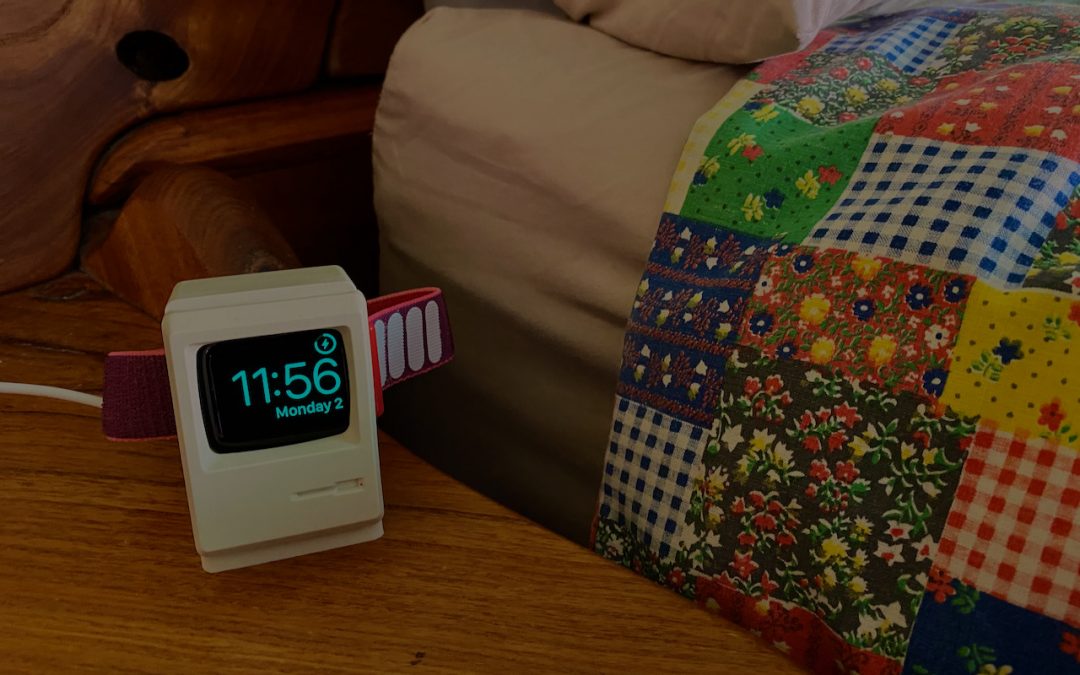
Most Apple Watch users charge their watch every night, putting it on a charger as part of a bedtime routine. If that’s you, make sure you’re not missing one of the Apple Watch’s best features: nightstand mode. When you enable it in the iPhone’s Watch app, in General...
Reduce Your Email Load with Three Features in Apple’s Mail: Mute, Block, and Unsubscribe

Reduce Your Email Load with Three Features in Apple’s Mail: Mute, Block, and Unsubscribe

by Terry McAdams | Jul 29, 2021 | Email, How-To, iPad, iPhone, Mac, productivity

Complaining about getting too much email is like complaining about bad traffic—we brought it upon ourselves, and while it’s impossible to escape entirely, it’s worth knowing how to reduce it. Apple is fully cognizant of the issue, too, and has built features into the...
« Older Entries
Next Entries »

Archives

Categories

Terms and Conditions   |   Return and Shipping Policy   |   Privacy Policy
MacTech Solutions LLC DBA MacTech Solutions™
Copyright © MacTech Solutions, LLC   |   All Rights Reserved.

The MacTech Solutions logo is property of MacTech Solutions, LLC, a Texas Limited liability company. All other logos and trademarks are the property of their respective owners. Apple, the Apple logo, iPad, iPad Pro, iPod, Mac, MacBook Air, and MacBook Pro are trademarks of Apple Inc., registered in the U.S. and other countries.

Our Location

4020 Rhea Rd, Suite 3B
Wichita Falls, TX 76308
(940) 767-MACS (6227)

Hours

Monday-Friday: 10-6
Saturday: Closed
Sunday: Closed
Terms and Conditions | Privacy Policy

MacTech Solutions LLC DBA MacTech Solutions™
Copyright © MacTech Solutions, LLC   |   All Rights Reserved.

The MacTech Solutions logo is property of MacTech Solutions, LLC, a Texas Limited liability company. All other logos and trademarks are the property of their respective owners. Apple, the Apple logo, iPad, iPad Pro, iPod, Mac, MacBook Air, and MacBook Pro are trademarks of Apple Inc., registered in the U.S. and other countries.