by Terry McAdams | Feb 27, 2024 | How-To, iPhone, privacy, Security
Last year, a series of articles by Wall Street Journal reporters Joanna Stern and Nicole Nguyen highlighted a troubling form of crime targeting iPhone users. A thief would discover the victim’s iPhone passcode, swipe the iPhone, and run. With just the passcode, the...
by Terry McAdams | Feb 22, 2024 | iPad, iPhone, Mac, Tip, troubleshooting
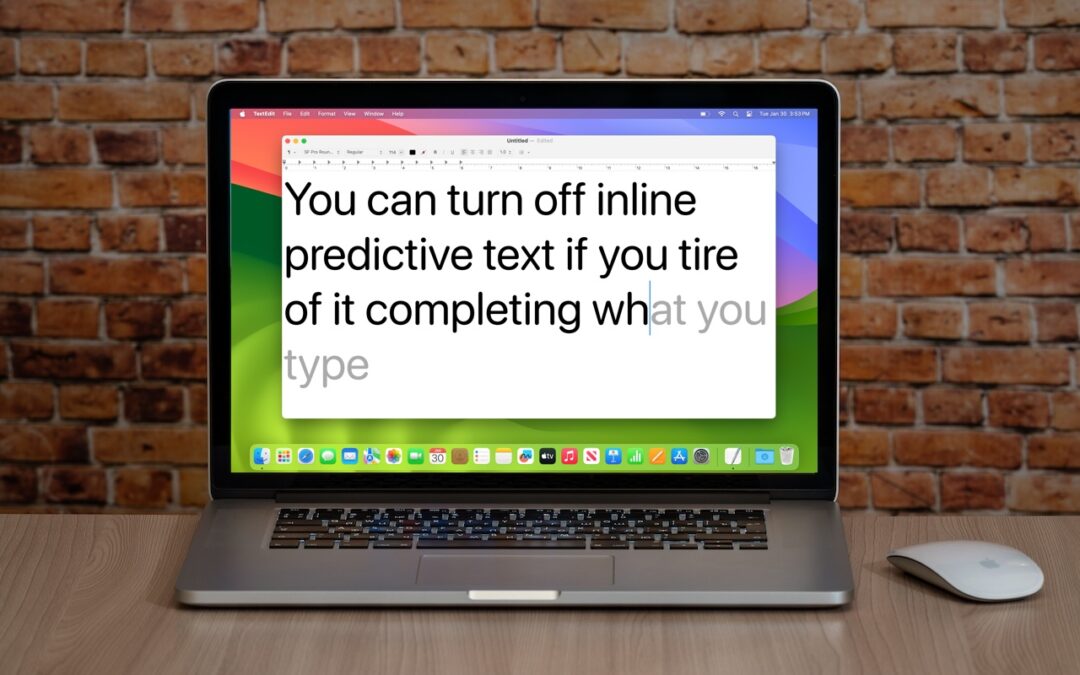
In a slight nod to the hype surrounding generative AI, Apple added inline text prediction capabilities to the iPhone, iPad, and Mac. They can be helpful, particularly on the iPhone and iPad, where it’s often much easier to tap the Space bar than to finish typing a...
by Terry McAdams | Feb 15, 2024 | FaceTime, iPad, iPhone, Tip, troubleshooting
If you listen to a FaceTime Audio call using AirPods and hear the other person’s voice moving annoyingly from side to side as you turn your head, the problem is likely head-tracked spatial audio. In general, spatial audio attempts to make sounds seem to come from all...
by Terry McAdams | Feb 13, 2024 | Apple TV, How-To, iPad, iPhone, productivity
When Apple introduced tvOS 17 last September, an eagerly awaited feature was its support for FaceTime calls, using Continuity Camera on an iPhone or iPad to equip an Apple TV with the necessary camera and microphone. FaceTime on the Apple TV requires a...
by Terry McAdams | Feb 6, 2024 | How-To, iPad, iPhone, Mac, productivity, Safari
We’re all accustomed to searching the Web generally in Safari by typing in the search field and pressing Return or tapping Go. Most of us are also familiar with the search suggestions that Safari shows below the search field as we type. But did you know that Safari...
by Terry McAdams | Jan 4, 2024 | iPhone, MagSafe, photo, Tip
iOS 17 offers a new mode for the iPhone: StandBy. All you have to do is connect your iPhone to a charger wirelessly or with a cable, position it on its side in landscape orientation, and press the side button to lock the screen. Standby works best with a MagSafe...