(940) 767-6227
  • Facebook
  • X
  • RSS
  • Facebook
  • X
  • RSS
0 Items
MacTech Solutions
  • Home
  • Products
    • Mac
      • MacBook Air
        • MacBook Air 13-inch M2
        • MacBook Air 13-inch M3
        • MacBook Air 15-inch M3
      • MacBook Pro
        • MacBook Pro 14-inch M4
        • MacBook Pro 14-inch M4 Pro
        • MacBook Pro 16-inch M4
      • iMac
        • iMac 24-inch M4
      • Mac Mini
        • Mac mini M4
      • Mac Studio
      • Mac Pro
      • Apple Displays
        • Pro Display XDR
        • Studio Display
    • iPad
      • iPad
      • iPad mini
      • iPad Pro
        • iPad Pro M4 11-inch
        • iPad Pro M4 13-inch
      • iPad Air
        • iPad Air M2 11-inch
        • iPad Air M2 13-Inch
      • Apple Pencil
        • Apple Pencil (USB-C)
      • Keyboards
        • Smart Keyboard
        • Smart Keyboard Folio
        • iPad Magic Keyboard
    • Apple Watch
      • Apple Watch SE
      • Apple Watch Series 9
      • Apple Watch Ultra 2
    • iPod touch
    • Apple TV
      • Apple TV
      • Apple TV 4K
    • Airpods
      • AirPods Max
      • Airpods Pro (2nd Generation)
      • AirPods 4
      • AirPods 4 with Active Noice Cancellation
      • AirPods (3rd Generation)
      • AirPods (2nd Generation)
    • HomePod
      • HomePod mini
    • AppleCare+
    • Sonos
    • Adobe
      • Creative Cloud for Education
  • Service
    • Apple Authorized Service
    • Remote Support
  • Trade Ins
  • Classes & Events
  • About Us
    • Newsletter Sign Up
    • MacTech Solutions
    • The Team
    • Contact Us
  • Blog
Select Page
Pinch to Zoom in All Photos View in iOS 14

Pinch to Zoom in All Photos View in iOS 14

by Terry McAdams | Dec 17, 2020 | iOS, Photos, productivity, Tip

Photos in iOS 14 provides four views of your library: Years, Months, Days, and All Photos. For the first three, Photos picks representative images that may not include particular shots you’re looking for. The All Photos view shows everything, but it can be...
Want to Send Holiday Cards This Year? Try Building Them with Motif for Photos

Want to Send Holiday Cards This Year? Try Building Them with Motif for Photos

by Terry McAdams | Dec 1, 2020 | How-To, Mac, Photos, productivity

In 2018, Apple dropped support for creating print projects from within Photos, including greeting cards, calendars, and books. Instead, Apple allowed other print-service companies to build Photos Project extensions that gave users the same sort of capabilities. At...
New Organization and Editing in Photos in iOS 13 and iPadOS 13

New Organization and Editing in Photos in iOS 13 and iPadOS 13

by Terry McAdams | Jul 17, 2020 | Photos, productivity

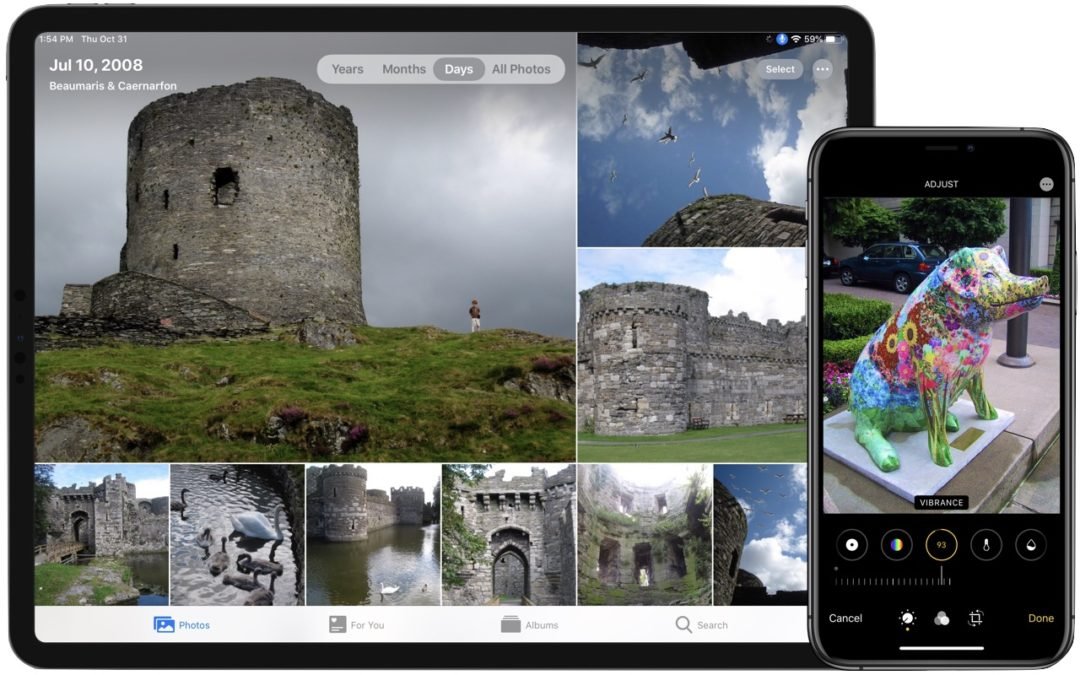
Taking photos is a popular use of the iPhone, and Apple has said that the improved cameras gave this year’s iPhone 11 Pro models their “Pro” designation. But Apple continually works to improve the Photos app as well. Taking great photos is only half the job—you also...
How to Choose Between iCloud Photos and My Photo Stream

How to Choose Between iCloud Photos and My Photo Stream

by Terry McAdams | May 6, 2020 | iCloud, iOS, Mac, Photos, productivity, Tip

For quite a few years, Apple enabled users to download their iPhone or iPad photos to their Macs with a service called My Photo Stream. It wasn’t perfect, but it was free, and it did a decent job of ensuring that photos you took on your iPhone or iPad would end up on...
How to Find the Snaps You Want in the Mac’s Photos App

How to Find the Snaps You Want in the Mac’s Photos App

by Terry McAdams | Jan 2, 2020 | Mac, Photos, productivity

Digital cameras have been around long enough that people have stopped making snarky comments about how hard it is to find anything in a shoebox filled with hundreds of unorganized photos. But given the tens of thousands of photos many of us now have, it’s hard to be...
Need to Import Photos from a non-iPhone or Want to Keep Images out of Photos?

Need to Import Photos from a non-iPhone or Want to Keep Images out of Photos?

by Terry McAdams | Jul 9, 2019 | Mac, Photos, productivity, Tip

Most Mac users rely on iPhones and iPads to take photos and store them in the Photos app, which happens automatically for those who use Apple’s iCloud Photos syncing service. But what if you want to import photos from a device other than an iPhone or iPad—say a...
« Older Entries
Next Entries »

Archives

Categories

Terms and Conditions   |   Return and Shipping Policy   |   Privacy Policy
MacTech Solutions LLC DBA MacTech Solutions™
Copyright © MacTech Solutions, LLC   |   All Rights Reserved.

The MacTech Solutions logo is property of MacTech Solutions, LLC, a Texas Limited liability company. All other logos and trademarks are the property of their respective owners. Apple, the Apple logo, iPad, iPad Pro, iPod, Mac, MacBook Air, and MacBook Pro are trademarks of Apple Inc., registered in the U.S. and other countries.

Our Location

4020 Rhea Rd, Suite 3B
Wichita Falls, TX 76308
(940) 767-MACS (6227)

Hours

Monday-Friday: 10-6
Saturday: Closed
Sunday: Closed
Terms and Conditions | Privacy Policy

MacTech Solutions LLC DBA MacTech Solutions™
Copyright © MacTech Solutions, LLC   |   All Rights Reserved.

The MacTech Solutions logo is property of MacTech Solutions, LLC, a Texas Limited liability company. All other logos and trademarks are the property of their respective owners. Apple, the Apple logo, iPad, iPad Pro, iPod, Mac, MacBook Air, and MacBook Pro are trademarks of Apple Inc., registered in the U.S. and other countries.