by Terry McAdams | Mar 1, 2022 | Control Center, iPad, iPhone, Tip, troubleshooting
Normally, when you rotate an iPad, the screen happily flips from portrait (vertical) to landscape (horizontal) orientation as appropriate. Rotating an iPhone has the same effect in some apps, though many are written to work only in one orientation. If you ever end up...
by Terry McAdams | Feb 26, 2022 | productivity, Tip
Most of the time, when you unlock your iPhone or iPad, you want to launch an app. In iOS 15 and iPadOS 15, you no longer have to unlock the device, find the app on a Home screen page, and tap it. Instead, you can open an app directly from the Lock screen, assuming...
by Terry McAdams | Feb 22, 2022 | iCloud, iPad, iPhone, Mac, Tip
There’s little more frustrating than running out of space, which always seems to happen at just the wrong time. Luckily, Apple makes it easy to check any time, before it becomes a problem. On the Mac, choose About This Mac from the Apple menu and click Storage. On an...
by Terry McAdams | Feb 8, 2022 | Battery, Bluetooth, Mac, Tip, troubleshooting
It’s unfortunate that the most recent iteration of the Magic Mouse has its Lightning charging port on the bottom, making it impossible to use while charging, unlike the Magic Keyboard and Magic Trackpad, which work fine when plugged in. To check if your Magic Mouse...
by Terry McAdams | Feb 1, 2022 | Home screen, Tip
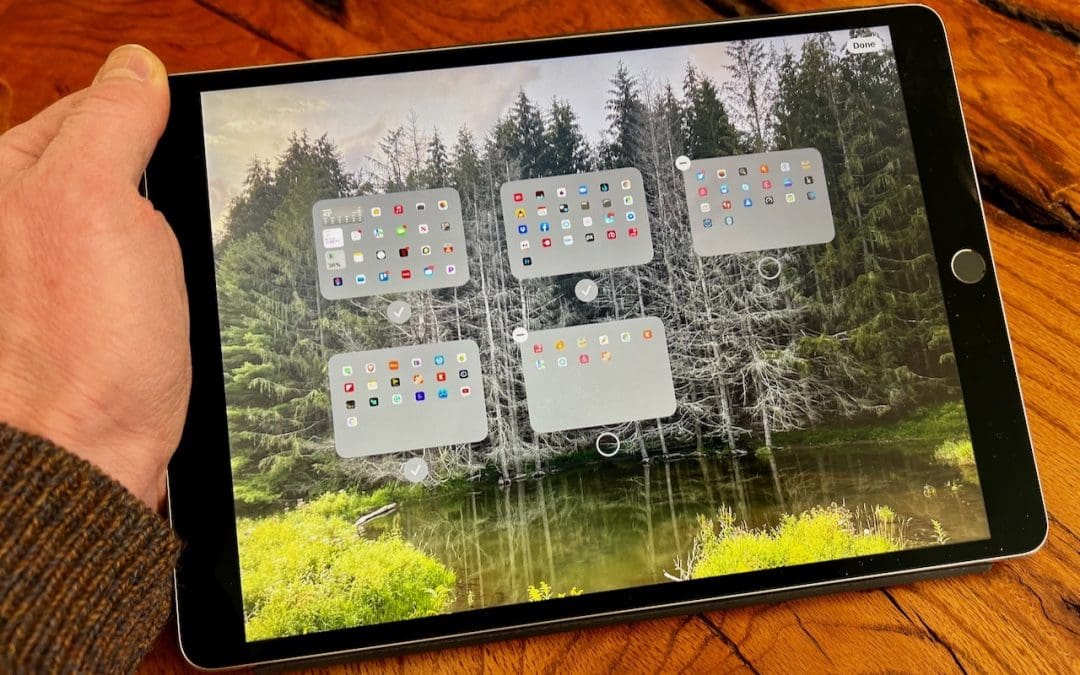
Back in iOS 14, Apple added the App Library, which collects all the apps on your iPhone. With everything available in the App Library, iOS 14 was also able to provide the option of hiding Home screen pages, a boon for those of us with too many disorganized pages. In...
by Terry McAdams | Jan 20, 2022 | Mac, privacy, System Preferences, Tip
Before macOS 12 Monterey, if you wanted to sell, trade in, or give away your Mac, you had to boot into Recovery, erase the internal drive with Disk Utility, and reinstall macOS to ensure that the new owner would get a fresh start and couldn’t see any of your data. In...