(940) 767-6227
  • Facebook
  • X
  • RSS
  • Facebook
  • X
  • RSS
MacTech Solutions
  • Home
  • Managed IT Services
  • Products
    • Mac
      • MacBook Air
        • MacBook Air 13-inch M5
        • MacBook Air 15-inch M5
      • MacBook Pro
        • MacBook Pro 14-inch M5
        • MacBook Pro 14-inch M5 Pro
        • MacBook Pro 16-inch M5
      • iMac
        • iMac 24-inch M4
      • Mac Mini
        • Mac mini M4
      • Mac Studio
      • Mac Pro
      • Apple Displays
        • Pro Display XDR
        • Studio Display
    • iPad
      • iPad
      • iPad mini
      • iPad Pro
        • iPad Pro M4 11-inch
        • iPad Pro M4 13-inch
      • iPad Air
        • iPad Air M2 11-inch
        • iPad Air M2 13-Inch
      • Apple Pencil
        • Apple Pencil (USB-C)
      • Keyboards
        • Smart Keyboard
        • Smart Keyboard Folio
        • iPad Magic Keyboard
    • Apple Watch
      • Apple Watch SE
      • Apple Watch Series 9
      • Apple Watch Ultra 2
    • iPod touch
    • Apple TV
      • Apple TV
      • Apple TV 4K
    • Airpods
      • AirPods Max
      • Airpods Pro (2nd Generation)
      • AirPods 4
      • AirPods 4 with Active Noice Cancellation
      • AirPods (3rd Generation)
      • AirPods (2nd Generation)
    • HomePod
      • HomePod mini
    • AppleCare+
    • Sonos
    • Adobe
      • Creative Cloud for Education
  • Service
    • Apple Authorized Service
    • Remote Support
  • Classes & Events
  • Trade Ins
  • About Us
    • Newsletter Sign Up
    • MacTech Solutions
    • The Team
    • Contact Us
  • Blog
Select Page
Use Your iPhone to Identify Plants, Wildlife, and Birds with Seek and Merlin

Use Your iPhone to Identify Plants, Wildlife, and Birds with Seek and Merlin

by Terry McAdams | Sep 1, 2022 | Camera, How-To, iPhone, productivity

Now and then, we run across iPhone apps that feel magical, and we want to share two of them: Seek and Merlin. They both use machine learning to help you identify something from the natural world using your iPhone. If you’re at all curious about the plants, wildlife,...
How to Restore Missing SMS Two-Factor Authentication Codes

How to Restore Missing SMS Two-Factor Authentication Codes

by Terry McAdams | Aug 25, 2022 | Security, Tip

Many websites, from Adobe to Zendesk, let you receive two-factor authentication codes via SMS text messages. That’s good—any form of two-factor authentication is better than none—but you’re often effectively locked out of your accounts if those text messages don’t...
Go Beyond Get Info with the Finder’s Inspector Window

Go Beyond Get Info with the Finder’s Inspector Window

by Terry McAdams | Aug 23, 2022 | Finder, Mac, productivity, Tip

You probably know that selecting a file in the Finder and choosing File > Get Info (Command-I) brings up the Get Info window. This window provides information about the file, including its name, kind, size, creation and modification dates, and much more. You can...
What Should I Do If I Get an “AirTag Found Moving With You” Message?

What Should I Do If I Get an “AirTag Found Moving With You” Message?

by Terry McAdams | Aug 18, 2022 | iPhone, privacy, Security, Tip

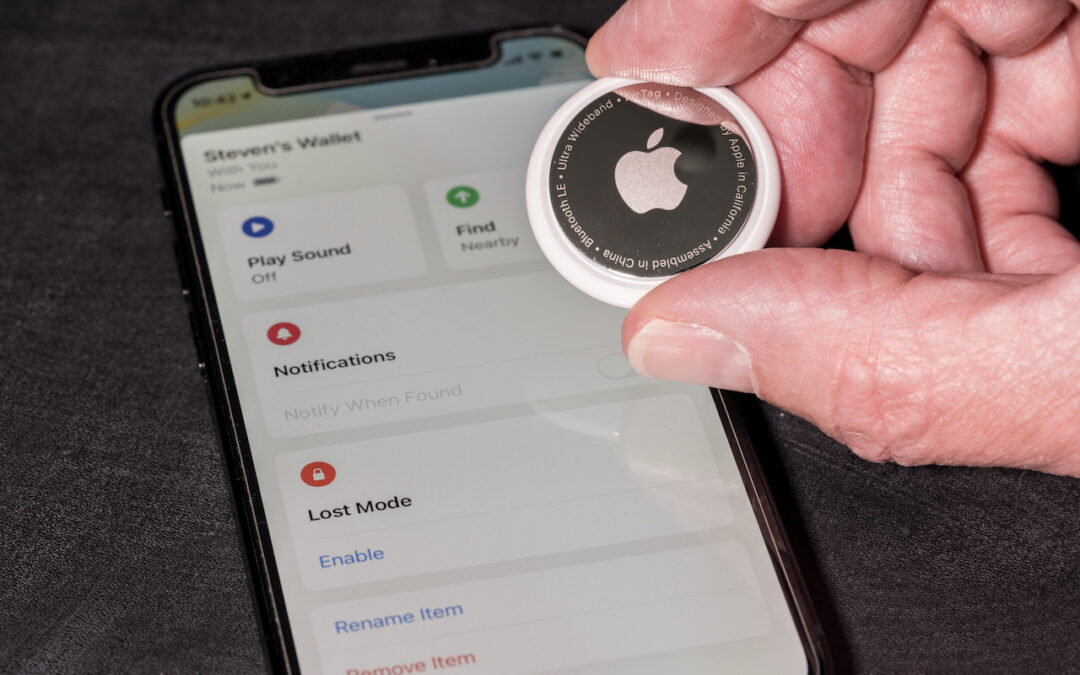
If you get an alert that an AirTag is moving with you, and it’s not yours, take steps to determine the source of the AirTag. While we’ve all heard stories of sinister usage of these devices—predators tracking potential victims—It could also completely...
Follow These Steps before Bringing Your Mac in for Repair

Follow These Steps before Bringing Your Mac in for Repair

by Terry McAdams | Aug 16, 2022 | Mac, troubleshooting

It has finally happened. Keys on your MacBook Pro aren’t responding, there’s a crack on the screen, or the battery no longer holds enough of a charge to make it useful. A repair is in your future, which entails bringing the Mac to us for repair. Before you bring it in...
« Older Entries
Next Entries »

Archives

Categories

Terms and Conditions   |   Return and Shipping Policy   |   Privacy Policy
MacTech Solutions LLC DBA MacTech Solutions™
Copyright © MacTech Solutions, LLC   |   All Rights Reserved.

The MacTech Solutions logo is property of MacTech Solutions, LLC, a Texas Limited liability company. All other logos and trademarks are the property of their respective owners. Apple, the Apple logo, iPad, iPad Pro, iPod, Mac, MacBook Air, and MacBook Pro are trademarks of Apple Inc., registered in the U.S. and other countries.

Our Location

4020 Rhea Rd, Suite 3B
Wichita Falls, TX 76308
(940) 767-MACS (6227)

Hours

Monday-Friday: 10-6
Saturday: Closed
Sunday: Closed
Terms and Conditions | Privacy Policy

MacTech Solutions LLC DBA MacTech Solutions™
Copyright © MacTech Solutions, LLC   |   All Rights Reserved.

The MacTech Solutions logo is property of MacTech Solutions, LLC, a Texas Limited liability company. All other logos and trademarks are the property of their respective owners. Apple, the Apple logo, iPad, iPad Pro, iPod, Mac, MacBook Air, and MacBook Pro are trademarks of Apple Inc., registered in the U.S. and other countries.