by Terry McAdams | Mar 1, 2024 | AI, privacy, Security
Generative AI chatbots like ChatGPT, Microsoft’s Bing/CoPilot, and Google’s Gemini are the vanguard of a significant advance in computing. Among much else, they can be compelling tools for finding just the right word, drafting simple legal documents, starting awkward...
by Terry McAdams | Mar 1, 2024 | Mac, menu bar, Tip
Is your Mac’s menu bar overwhelmed with icons? They’re helpful little critters, but finding one can be difficult when you have too many and they’re in no particular order. The hidden trick to cleaning up your menu bar relies on the Command key. Rearrange the menu bar...
by Terry McAdams | Feb 27, 2024 | How-To, iPhone, privacy, Security
Last year, a series of articles by Wall Street Journal reporters Joanna Stern and Nicole Nguyen highlighted a troubling form of crime targeting iPhone users. A thief would discover the victim’s iPhone passcode, swipe the iPhone, and run. With just the passcode, the...
by Terry McAdams | Feb 22, 2024 | iPad, iPhone, Mac, Tip, troubleshooting
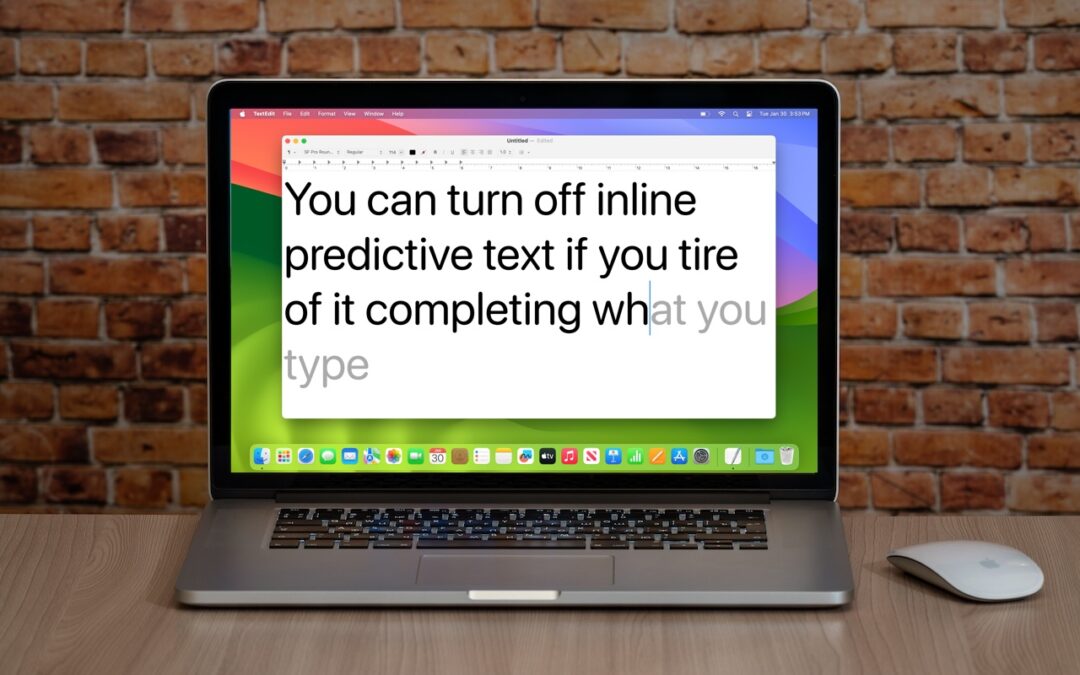
In a slight nod to the hype surrounding generative AI, Apple added inline text prediction capabilities to the iPhone, iPad, and Mac. They can be helpful, particularly on the iPhone and iPad, where it’s often much easier to tap the Space bar than to finish typing a...
by Terry McAdams | Feb 20, 2024 | 1Password, How-To, Internet, password manager, passwords, privacy, Security
How would you realize that one or more of your Internet accounts—email, social media, financial—have been hacked? (Some prefer the terms “compromised” or “breached”—you may hear them from support techs.) Unfortunately, there’s no telltale warning sign because “hacked”...
by Terry McAdams | Feb 15, 2024 | FaceTime, iPad, iPhone, Tip, troubleshooting
If you listen to a FaceTime Audio call using AirPods and hear the other person’s voice moving annoyingly from side to side as you turn your head, the problem is likely head-tracked spatial audio. In general, spatial audio attempts to make sounds seem to come from all...
by Terry McAdams | Feb 13, 2024 | Apple TV, How-To, iPad, iPhone, productivity
When Apple introduced tvOS 17 last September, an eagerly awaited feature was its support for FaceTime calls, using Continuity Camera on an iPhone or iPad to equip an Apple TV with the necessary camera and microphone. FaceTime on the Apple TV requires a...
by Terry McAdams | Feb 8, 2024 | Mac, productivity, Tip
Have you ever selected a bunch of files and accidentally opened them all by double-clicking one? Or perhaps inadvertently pressed Command-I to get info, ending up with oodles of open Info windows? Here’s a quick way to recover. You can close all the windows in any...
by Terry McAdams | Feb 6, 2024 | How-To, iPad, iPhone, Mac, productivity, Safari
We’re all accustomed to searching the Web generally in Safari by typing in the search field and pressing Return or tapping Go. Most of us are also familiar with the search suggestions that Safari shows below the search field as we type. But did you know that Safari...
by Terry McAdams | Feb 1, 2024 | 1Password, password manager, passwords, Security, Tip
January’s big security news was the Mother of All Breaches, the release of a massive database containing 26 billion records built from previous breaches across numerous websites, including Adobe, Dropbox, LinkedIn, and Twitter. It’s unclear how much of the leaked data...
by Terry McAdams | Jan 23, 2024 | Contacts, Mac, productivity, Siri, Tip
Remembering to update your contacts with new email addresses, phone numbers, and postal addresses can sometimes be difficult. But if you’ve received that information in Mail or Messages, Siri’s data detection capabilities can help. Open Contacts on the Mac and press...
by Terry McAdams | Jan 18, 2024 | Finder, Mac, productivity, Tip
You’ve ended up with two folders whose contents—hundreds of files or more—are similar but not exactly identical. Perhaps you’re recovering from a sync failure, or maybe you pulled an old version of the folder from a backup and aren’t sure what’s different. Regardless,...
by Terry McAdams | Jan 16, 2024 | Safari
Google is big. Google Search generated $225 billion in revenue in 2022, thanks in part to being the default search engine on all Apple devices. To retain that position—and to continue to reap the ad revenue that it generates—Google pays Apple about $18 billion...
by Terry McAdams | Jan 11, 2024 | Backup, Mac, Time Machine, Tip
Since its inception, Time Machine has backed up on an hourly schedule. It then keeps hourly backups for the previous 24 hours, daily backups for the last month, and weekly backups back to the start of the backup. When free space on the backup drive gets low, Time...
by Terry McAdams | Jan 8, 2024 | How-To, Mac, productivity
Many of our customers use screenshots to clip portions of their Mac screen for later reference. For example, you could save a screenshot of an error dialog to show tech support, store a confirmation number from a Web page, or keep a chat from social media. You can...