by Terry McAdams | May 18, 2020 | Finder, Mac, Tip
When you’re in the Finder, choosing File > New Finder Window does, as you’d expect, open a new Finder window. But what folder appears in that window? By default, new Finder windows open to Recents, which is a built-in smart folder showing recently opened documents....
by Terry McAdams | May 15, 2020 | How-To, iPad, iPhone, productivity
Ever wanted to take a photo of a receipt and circle the item for which you should be reimbursed? Or perhaps you’d like to put some text or a speech balloon on a photo? You can do all that and much more using iOS 13’s Markup tools. They’re available when you take a...
by Terry McAdams | May 14, 2020 | Mac, productivity, Tip
Split View on the Mac helps you focus on your work in one app—perhaps a word processor—while providing access to one other app, like a Web browser. (Make sure “Displays have separate Spaces” is selected in System Preferences > Mission Control.) Before macOS 10.15...
by Terry McAdams | May 13, 2020 | Messages, Tip
In your list of conversations in Messages, you probably have lots of people who have generic icons next to their names or numbers. You likely look like that to other people as well, but a new feature in iOS 13 lets you share your preferred name and avatar picture with...
by Terry McAdams | May 12, 2020 | Control Center, How-To, iOS, iPad, iPhone
Starting back in iOS 11, Apple made Control Center significantly more useful by letting you customize it more to your liking by adding and rearranging buttons. You can even remove a few of the default buttons if they’re just taking up space. Opening and Closing...
by Terry McAdams | May 11, 2020 | How-To, Mac, troubleshooting
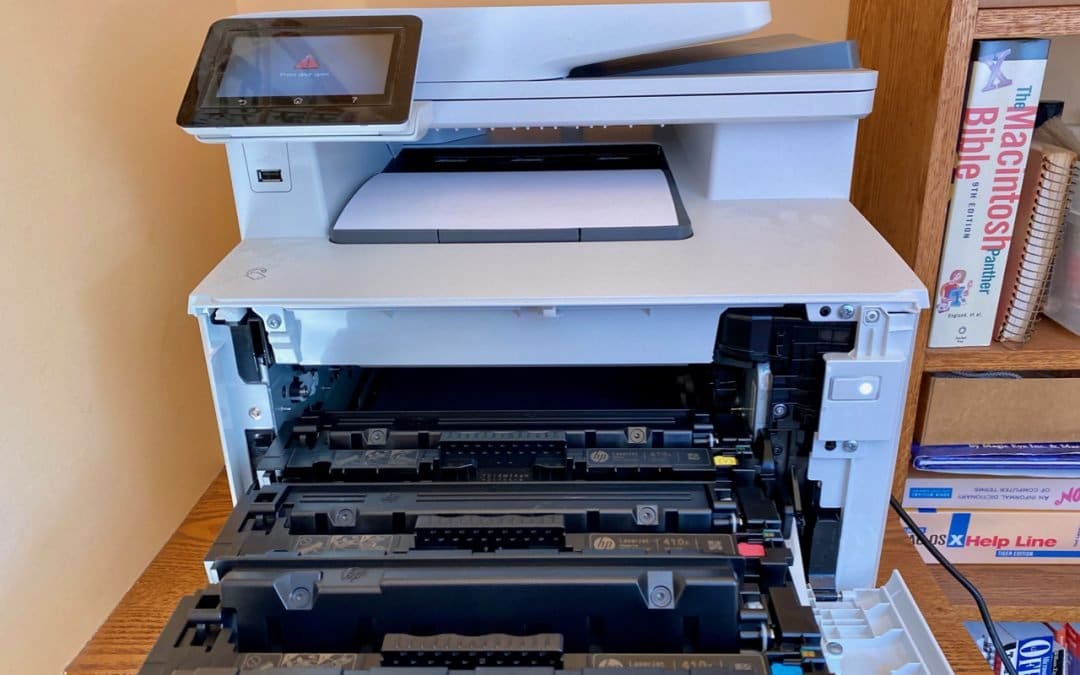
There’s little more frustrating than being unable to print a document when you need it. You choose File > Print, and nothing happens. Or, worse, macOS looks like it’s printing, so you focus on some other task, only to realize 20 minutes later that nothing has come...
by Terry McAdams | May 8, 2020 | Battery, iPhone, troubleshooting
A common question we hear is, “Why is my iPhone/iPad battery draining so fast?” Luckily, Apple provides tools that help you see exactly how your iPhone uses its battery over the last 24 hours and—with less detail—over each of the last 10 days. Plus, you can tweak...
by Terry McAdams | May 7, 2020 | iOS, privacy, Tip
Sharing your location works well when you’re out with friends or family and want everyone to be able to see where everyone else is. It’s easy to enable in various spots in iOS 13—in Messages, in Contacts, in the Find My app, and so on. You can share your location for...
by Terry McAdams | May 6, 2020 | iCloud, iOS, Mac, Photos, productivity, Tip
For quite a few years, Apple enabled users to download their iPhone or iPad photos to their Macs with a service called My Photo Stream. It wasn’t perfect, but it was free, and it did a decent job of ensuring that photos you took on your iPhone or iPad would end up on...
by Terry McAdams | May 5, 2020 | Mac, MacBook Pro
In a move that completes the transition of the MacBook line from the troubled butterfly keyboard to the Magic Keyboard, Apple has released a new 13-inch MacBook Pro. The company also doubled the amount of storage in each of the standard configurations while keeping...
by Terry McAdams | May 5, 2020 | Backup, Email, How-To, iCloud, iCloud Drive, iOS, Mac, Tip, troubleshooting
By default, Apple gives every iCloud user 5 GB of storage space. That disappears quickly, given how it’s shared between iCloud Mail, iCloud Drive, iCloud Photos, Messages, and iCloud-enabled apps. Apple will, of course, sell you more iCloud space. $0.99 per month gets...
by Terry McAdams | May 4, 2020 | Battery, iPhone, Tip, troubleshooting
If you’re plugging your iPhone in regularly but getting low-battery warnings when you shouldn’t, consider the possibility that something is preventing your iPhone from charging successfully while plugged in. If there’s no lightning bolt badge on the battery icon when...
by Terry McAdams | May 1, 2020 | iPad, productivity, Tip
When Apple released iPadOS 13.4 recently, it came with an unexpected feature: trackpad and mouse support. Apple plans to release a Magic Keyboard for iPad Pro that has a built-in trackpad in May as well, but in the meantime, you can control an iPad entirely via a...
by Terry McAdams | May 1, 2020 | Uncategorized
Whether for work or socializing, we’re all spending a lot more time in video calls these days. But—surprise!—it turns out that many of our group video calls could be more pleasant, less embarrassing, and overall better if we follow a few basic audiovisual tips. Make...
by Terry McAdams | May 1, 2020 | Email, Internet, Tip
When you’re writing a blog post or email newsletter, you’ll eventually hit the question of how to capitalize words in a title. There is no one right way, but just as with poor spelling and grammar, randomly capitalized titles can reduce reader trust in your knowledge,...