(940) 767-6227
  • Facebook
  • X
  • RSS
  • Facebook
  • X
  • RSS
0 Items
MacTech Solutions
  • Home
  • Products
    • Mac
      • MacBook Air
        • MacBook Air 13-inch M5
        • MacBook Air 15-inch M5
      • MacBook Pro
        • MacBook Pro 14-inch M5
        • MacBook Pro 14-inch M5 Pro
        • MacBook Pro 16-inch M5
      • iMac
        • iMac 24-inch M4
      • Mac Mini
        • Mac mini M4
      • Mac Studio
      • Mac Pro
      • Apple Displays
        • Pro Display XDR
        • Studio Display
    • iPad
      • iPad
      • iPad mini
      • iPad Pro
        • iPad Pro M4 11-inch
        • iPad Pro M4 13-inch
      • iPad Air
        • iPad Air M2 11-inch
        • iPad Air M2 13-Inch
      • Apple Pencil
        • Apple Pencil (USB-C)
      • Keyboards
        • Smart Keyboard
        • Smart Keyboard Folio
        • iPad Magic Keyboard
    • Apple Watch
      • Apple Watch SE
      • Apple Watch Series 9
      • Apple Watch Ultra 2
    • iPod touch
    • Apple TV
      • Apple TV
      • Apple TV 4K
    • Airpods
      • AirPods Max
      • Airpods Pro (2nd Generation)
      • AirPods 4
      • AirPods 4 with Active Noice Cancellation
      • AirPods (3rd Generation)
      • AirPods (2nd Generation)
    • HomePod
      • HomePod mini
    • AppleCare+
    • Sonos
    • Adobe
      • Creative Cloud for Education
  • Service
    • Apple Authorized Service
    • Remote Support
  • Trade Ins
  • Classes & Events
  • About Us
    • Newsletter Sign Up
    • MacTech Solutions
    • The Team
    • Contact Us
  • Blog
Select Page
How to Take the Annoyance Out of Your Key Passwords and Passcodes

How to Take the Annoyance Out of Your Key Passwords and Passcodes

by Terry McAdams | Aug 5, 2021 | iPad, iPhone, Mac, password manager, passwords, Security

We constantly say, “Use a password manager!” for good reason. Password managers make it easy to generate, store, and enter strong passwords. You don’t have to decide whether or not your password is strong or weak, remember it, and type it accurately every time you log...
Picking the Best Mac for a College-Bound Student

Picking the Best Mac for a College-Bound Student

by Terry McAdams | Aug 3, 2021 | Mac, MacBook Air, MacBook Pro

Do you have a child heading off to college soon? As you’re undoubtedly aware from high school, a computer is essential for a college student. If you haven’t been paying close attention to Apple’s Mac lineup, you might wonder which model makes the most sense. First,...
Reduce Your Email Load with Three Features in Apple’s Mail: Mute, Block, and Unsubscribe

Reduce Your Email Load with Three Features in Apple’s Mail: Mute, Block, and Unsubscribe

by Terry McAdams | Jul 29, 2021 | Email, How-To, iPad, iPhone, Mac, productivity

Complaining about getting too much email is like complaining about bad traffic—we brought it upon ourselves, and while it’s impossible to escape entirely, it’s worth knowing how to reduce it. Apple is fully cognizant of the issue, too, and has built features into the...
Don’t Cook Your Digital Devices in the Summer Heat

Don’t Cook Your Digital Devices in the Summer Heat

by Terry McAdams | Jul 27, 2021 | Battery, iPad, iPhone, Mac, troubleshooting

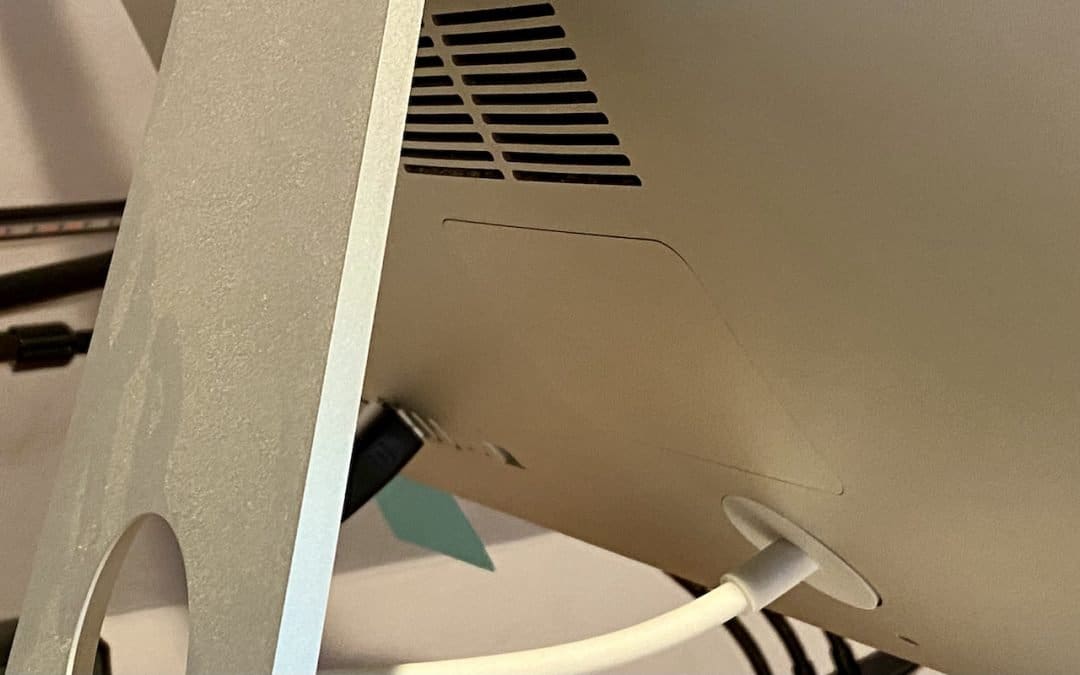
As climate change continues to wreak havoc on our weather, many areas are seeing record temperatures this summer—Seattle just recorded its hottest days ever. You may be able to trade your business suit for shorts or skirts to stay more comfortable, but your electronic...
Disable Unused Sharing Options on Your Mac If You’re Not Using Them

Disable Unused Sharing Options on Your Mac If You’re Not Using Them

by Terry McAdams | Jul 15, 2021 | Mac, privacy, Security, Tip

Many security breaches—even high-profile ones—stem from simple oversight. There’s one spot in macOS that has long been particularly susceptible to such lapse: the Sharing pane of System Preferences. In it, you can enable a wide variety of sharing services, some of...
Two Tricks for Fixing a Mac That’s Restarting Unexpectedly

Two Tricks for Fixing a Mac That’s Restarting Unexpectedly

by Terry McAdams | Jun 9, 2021 | Mac, Tip, troubleshooting

Although extremely uncommon, it’s not unheard of for a Mac, particularly an older model, to restart unexpectedly. If it happens once, chalk it up to cosmic rays and move on. But if it happens multiple times, try these two things right off. First, use compressed air to...
« Older Entries
Next Entries »

Archives

Categories

Terms and Conditions   |   Return and Shipping Policy   |   Privacy Policy
MacTech Solutions LLC DBA MacTech Solutions™
Copyright © MacTech Solutions, LLC   |   All Rights Reserved.

The MacTech Solutions logo is property of MacTech Solutions, LLC, a Texas Limited liability company. All other logos and trademarks are the property of their respective owners. Apple, the Apple logo, iPad, iPad Pro, iPod, Mac, MacBook Air, and MacBook Pro are trademarks of Apple Inc., registered in the U.S. and other countries.

Our Location

4020 Rhea Rd, Suite 3B
Wichita Falls, TX 76308
(940) 767-MACS (6227)

Hours

Monday-Friday: 10-6
Saturday: Closed
Sunday: Closed
Terms and Conditions | Privacy Policy

MacTech Solutions LLC DBA MacTech Solutions™
Copyright © MacTech Solutions, LLC   |   All Rights Reserved.

The MacTech Solutions logo is property of MacTech Solutions, LLC, a Texas Limited liability company. All other logos and trademarks are the property of their respective owners. Apple, the Apple logo, iPad, iPad Pro, iPod, Mac, MacBook Air, and MacBook Pro are trademarks of Apple Inc., registered in the U.S. and other countries.