by Terry McAdams | Apr 25, 2023 | Mac, productivity, troubleshooting
It’s a question as old as the personal computer. When should you replace your current Mac with a new model that’s faster and more capable? If money were no object, the answer would be easy—whenever you feel like it. For the rest of us, and particularly for...
by Terry McAdams | Apr 13, 2023 | Mac, Tip, troubleshooting
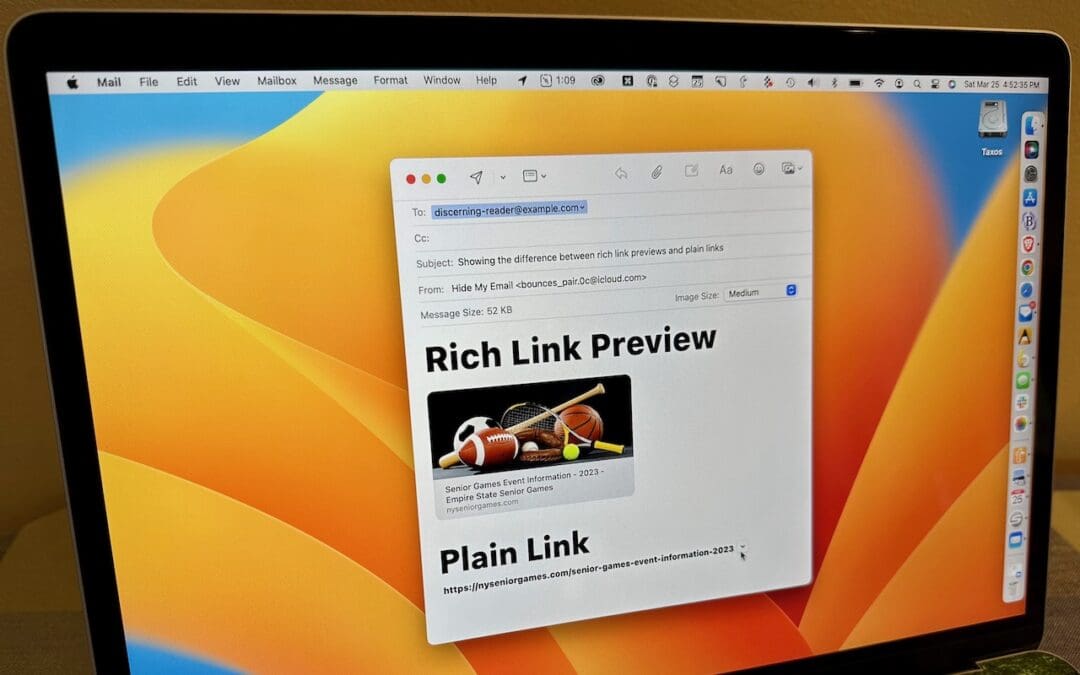
Sometimes apps can be too helpful. Apple’s Mail on the Mac likes to turn pasted URLs into graphically rich previews, and sometimes that’s OK. But other times, the preview is confusing or takes up too much space. Or you may want to send a plain link so the recipient...
by Terry McAdams | Apr 11, 2023 | Finder, Mac, productivity, Tip
Many businesses, schools, and other organizations have adopted cloud storage services like Box, Dropbox, Google Drive, and Microsoft OneDrive for excellent reasons. Cloud storage provides a centralized spot for shared data without the up-front cost or maintenance...
by Terry McAdams | Mar 21, 2023 | Finder, Mac, productivity, Tip
Imagine that you’re working with a bunch of files, and you want to put a set of them in a new folder. You could stop what you’re doing, make a new folder, select all the files, and drag them into the folder, like an animal. Or you could take advantage of a slick...
by Terry McAdams | Mar 12, 2023 | Mac, Messages, productivity, Tip
Occasionally, we hear from a client who needs to document a Messages conversation with timestamps, perhaps as part of a lawsuit. The only way to do that on an iPhone or iPad is to take a series of screenshots, but if you have a Mac, there are additional options. The...
by Terry McAdams | Feb 21, 2023 | Mac, productivity, Spotlight, Tip
When you search using Spotlight on the Mac, it provides a decent amount of information about each result, including name and other metadata. But what if you want to see what’s behind the search result? In macOS 13 Ventura, Apple added Quick Look support to Spotlight...