by Terry McAdams | Oct 1, 2020 | passwords, Security, Tip
One of the big no-nos with passwords is sending them to other people as plain text in email or a text message conversation. You presumably trust your recipient with the password, but what if their email was hacked or phone stolen? Instead, always use a site like...
by Terry McAdams | Sep 25, 2020 | 1Password, iOS, Mac, password manager, passwords, Security
We often recommend using a password manager like 1Password or LastPass, but we’ve gotten a few questions asking why we’re so adamant about this. Lots of people think that all they need to do to keep their online accounts secure is create a single password with some...
by Terry McAdams | Jun 18, 2020 | Apple Watch, Mac, passwords, Security, Tip
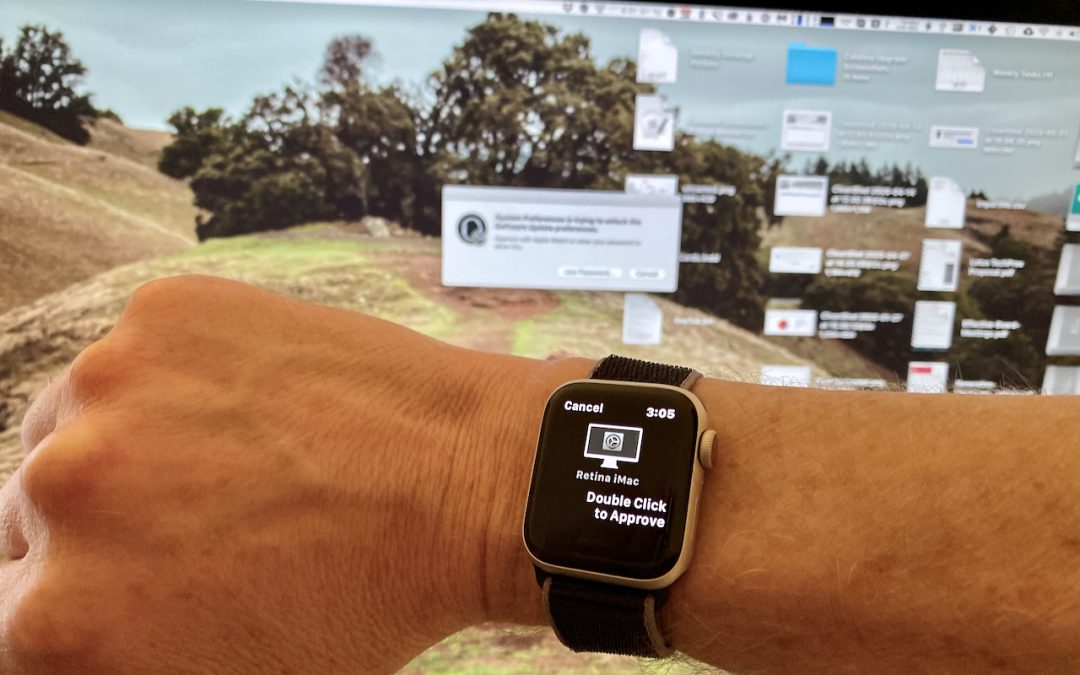
Tired of typing your admin account password whenever you try to install software or change security settings on your Mac? A new feature in macOS 10.15 Catalina removes that requirement for Apple Watch owners. In System Preferences > Security & Privacy >...
by Lucy McAdams | Jan 11, 2019 | passwords, Security
Have you gotten an email message whose Subject line says something like “Change your password immediately! Your account has been hacked.”? If not, it may be only a matter of time before you do. It’s a scary message, especially because it contains one of your...
by Lucy McAdams | Jul 11, 2018 | 1Password, passwords, Security
Data breaches have become commonplace, with online thieves constantly breaking into corporate and government servers and making off with millions—or even hundreds of millions!—of email addresses, often along with other personal information like names, physical...
by Lucy McAdams | Jan 11, 2018 | 1Password, password manager, passwords, Security
Passwords are the bane of our modern existence. Nearly anything you want to do, it seems, calls for a password. As the Internet’s reach extends beyond computers and into phones, TVs, appliances, and even toys, we have to enter passwords with increasing frequency and...