(940) 767-6227
  • Facebook
  • X
  • RSS
  • Facebook
  • X
  • RSS
MacTech Solutions
  • Home
  • Managed IT Services
  • Products
    • Mac
      • MacBook Air
        • MacBook Air 13-inch M5
        • MacBook Air 15-inch M5
      • MacBook Pro
        • MacBook Pro 14-inch M5
        • MacBook Pro 14-inch M5 Pro
        • MacBook Pro 16-inch M5
      • iMac
        • iMac 24-inch M4
      • Mac Mini
        • Mac mini M4
      • Mac Studio
      • Mac Pro
      • Apple Displays
        • Pro Display XDR
        • Studio Display
    • iPad
      • iPad
      • iPad mini
      • iPad Pro
        • iPad Pro M4 11-inch
        • iPad Pro M4 13-inch
      • iPad Air
        • iPad Air M2 11-inch
        • iPad Air M2 13-Inch
      • Apple Pencil
        • Apple Pencil (USB-C)
      • Keyboards
        • Smart Keyboard
        • Smart Keyboard Folio
        • iPad Magic Keyboard
    • Apple Watch
      • Apple Watch SE
      • Apple Watch Series 9
      • Apple Watch Ultra 2
    • iPod touch
    • Apple TV
      • Apple TV
      • Apple TV 4K
    • Airpods
      • AirPods Max
      • Airpods Pro (2nd Generation)
      • AirPods 4
      • AirPods 4 with Active Noice Cancellation
      • AirPods (3rd Generation)
      • AirPods (2nd Generation)
    • HomePod
      • HomePod mini
    • AppleCare+
    • Sonos
    • Adobe
      • Creative Cloud for Education
  • Service
    • Apple Authorized Service
    • Remote Support
  • Classes & Events
  • Trade Ins
  • About Us
    • Newsletter Sign Up
    • MacTech Solutions
    • The Team
    • Contact Us
  • Blog
Select Page
8 Ways Apple Improved the Camera App in iOS 14

8 Ways Apple Improved the Camera App in iOS 14

by Terry McAdams | Jan 28, 2021 | iPhone, productivity

It’s difficult for most of us to imagine that a camera—something that still feels like it’s a standalone object—could be improved significantly with a software update. But now that cameras are part of our phones, code is king. With iOS 14, the camera in your iPhone...
A Quick Shortcut to Create an Instant Slideshow from a Folder of Images

A Quick Shortcut to Create an Instant Slideshow from a Folder of Images

by Terry McAdams | Dec 28, 2020 | Finder, Mac, productivity, Tip

You probably know that you can select an image in the Finder and press the Space bar to preview it in a Quick Look window. And you may know that you can use the arrow keys to preview other files in the same folder without closing and reopening the Quick Look window....
Pinch to Zoom in All Photos View in iOS 14

Pinch to Zoom in All Photos View in iOS 14

by Terry McAdams | Dec 17, 2020 | iOS, Photos, productivity, Tip

Photos in iOS 14 provides four views of your library: Years, Months, Days, and All Photos. For the first three, Photos picks representative images that may not include particular shots you’re looking for. The All Photos view shows everything, but it can be...
Want to Send Holiday Cards This Year? Try Building Them with Motif for Photos

Want to Send Holiday Cards This Year? Try Building Them with Motif for Photos

by Terry McAdams | Dec 1, 2020 | How-To, Mac, Photos, productivity

In 2018, Apple dropped support for creating print projects from within Photos, including greeting cards, calendars, and books. Instead, Apple allowed other print-service companies to build Photos Project extensions that gave users the same sort of capabilities. At...
Home Screen Widgets Take Center Stage in iOS 14

Home Screen Widgets Take Center Stage in iOS 14

by Terry McAdams | Nov 17, 2020 | Home screen, How-To, iPhone, productivity

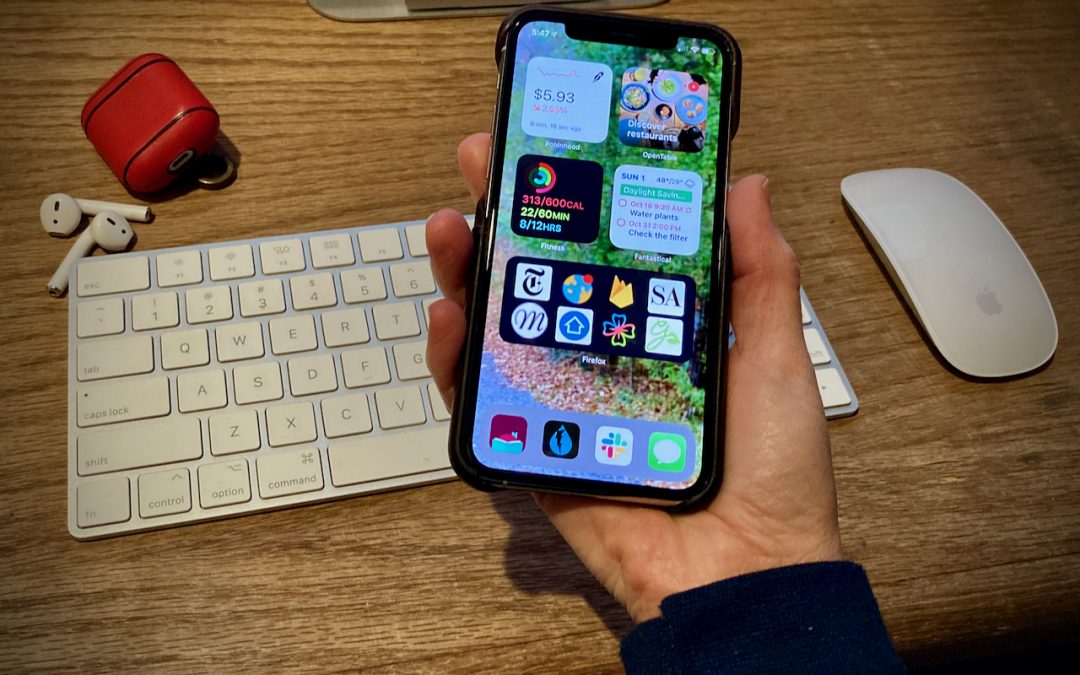
A significant new feature in iOS 14 is Home screen widgets, information-rich tiles that share space on a Home screen with app icons. iPhone users familiar with Google’s Android smartphone operating system have long clamored for widgets because they provide quick...
New Back Tap Feature in iOS 14 Provides Two Customizable Shortcuts

New Back Tap Feature in iOS 14 Provides Two Customizable Shortcuts

by Terry McAdams | Nov 5, 2020 | Accessibility, How-To, iPhone, productivity

We all have things we do regularly on our iPhones, whether it’s checking the weather, searching Google, or invoking the magnifier. Apple has long provided ways of making your most common actions easier to access. You might put an app on your Dock, open Control Center,...
« Older Entries
Next Entries »

Archives

Categories

Terms and Conditions   |   Return and Shipping Policy   |   Privacy Policy
MacTech Solutions LLC DBA MacTech Solutions™
Copyright © MacTech Solutions, LLC   |   All Rights Reserved.

The MacTech Solutions logo is property of MacTech Solutions, LLC, a Texas Limited liability company. All other logos and trademarks are the property of their respective owners. Apple, the Apple logo, iPad, iPad Pro, iPod, Mac, MacBook Air, and MacBook Pro are trademarks of Apple Inc., registered in the U.S. and other countries.

Our Location

4020 Rhea Rd, Suite 3B
Wichita Falls, TX 76308
(940) 767-MACS (6227)

Hours

Monday-Friday: 10-6
Saturday: Closed
Sunday: Closed
Terms and Conditions | Privacy Policy

MacTech Solutions LLC DBA MacTech Solutions™
Copyright © MacTech Solutions, LLC   |   All Rights Reserved.

The MacTech Solutions logo is property of MacTech Solutions, LLC, a Texas Limited liability company. All other logos and trademarks are the property of their respective owners. Apple, the Apple logo, iPad, iPad Pro, iPod, Mac, MacBook Air, and MacBook Pro are trademarks of Apple Inc., registered in the U.S. and other countries.