(940) 767-6227
  • Facebook
  • X
  • RSS
  • Facebook
  • X
  • RSS
MacTech Solutions
  • Home
  • Managed IT Services
  • Products
    • Mac
      • MacBook Air
        • MacBook Air 13-inch M5
        • MacBook Air 15-inch M5
      • MacBook Pro
        • MacBook Pro 14-inch M5
        • MacBook Pro 14-inch M5 Pro
        • MacBook Pro 16-inch M5
      • iMac
        • iMac 24-inch M4
      • Mac Mini
        • Mac mini M4
      • Mac Studio
      • Mac Pro
      • Apple Displays
        • Pro Display XDR
        • Studio Display
    • iPad
      • iPad
      • iPad mini
      • iPad Pro
        • iPad Pro M4 11-inch
        • iPad Pro M4 13-inch
      • iPad Air
        • iPad Air M2 11-inch
        • iPad Air M2 13-Inch
      • Apple Pencil
        • Apple Pencil (USB-C)
      • Keyboards
        • Smart Keyboard
        • Smart Keyboard Folio
        • iPad Magic Keyboard
    • Apple Watch
      • Apple Watch SE
      • Apple Watch Series 9
      • Apple Watch Ultra 2
    • iPod touch
    • Apple TV
      • Apple TV
      • Apple TV 4K
    • Airpods
      • AirPods Max
      • Airpods Pro (2nd Generation)
      • AirPods 4
      • AirPods 4 with Active Noice Cancellation
      • AirPods (3rd Generation)
      • AirPods (2nd Generation)
    • HomePod
      • HomePod mini
    • AppleCare+
    • Sonos
    • Adobe
      • Creative Cloud for Education
  • Service
    • Apple Authorized Service
    • Remote Support
  • Classes & Events
  • Trade Ins
  • About Us
    • Newsletter Sign Up
    • MacTech Solutions
    • The Team
    • Contact Us
  • Blog
Select Page
Choose Default Apps for File Types in iOS 26 and iPadOS 26

Choose Default Apps for File Types in iOS 26 and iPadOS 26

by Terry McAdams | May 1, 2026 | Finder, iPad, iPhone, productivity, Tip

On the Mac, every file type opens in a particular app by default, but it’s easy to open a PDF, image, or text file in a different app. In the Finder’s Get Info window, you can also reset the default app so that, for example, JPEGs open in Photoshop or Affinity instead...
Apple’s Focus Is Powerful but Unpredictable

Apple’s Focus Is Powerful but Unpredictable

by Terry McAdams | Mar 6, 2026 | Do Not Disturb, iPad, iPhone, Mac, productivity, troubleshooting

Sometimes you just don’t want your phone to ring, chirp, or even vibrate. Maybe you’re asleep, in an important meeting, having dinner with family, meditating, playing a game, or simply enjoying some quiet time. Apple’s Focus feature on the iPhone, iPad, and Mac can...
iOS 26 Can AutoFill Credit Card Details

iOS 26 Can AutoFill Credit Card Details

by Terry McAdams | Mar 6, 2026 | iPhone, productivity, Tip, Wallet

Sadly, not all websites and apps support Apple Pay, so we’ve become accustomed to manually entering our credit card information into fields, like animals. No longer! In iOS 26, the Wallet app now supports AutoFill. If you need to add a card—those set up with Apple Pay...
Why Your Windows Reopen (Or Don’t) As You Expect

Why Your Windows Reopen (Or Don’t) As You Expect

by Terry McAdams | Feb 6, 2026 | Mac, productivity

Have you noticed that when you restart your Mac or relaunch an app, your previous windows and documents sometimes reappear exactly as you left them, but at other times you’re greeted with a clean slate? This behavior is controlled by Resume, a technology introduced in...
What Can You Do With the iPhone’s Action Button? Nearly Anything!

What Can You Do With the iPhone’s Action Button? Nearly Anything!

by Terry McAdams | Feb 6, 2026 | Control Center, How-To, iPhone, productivity

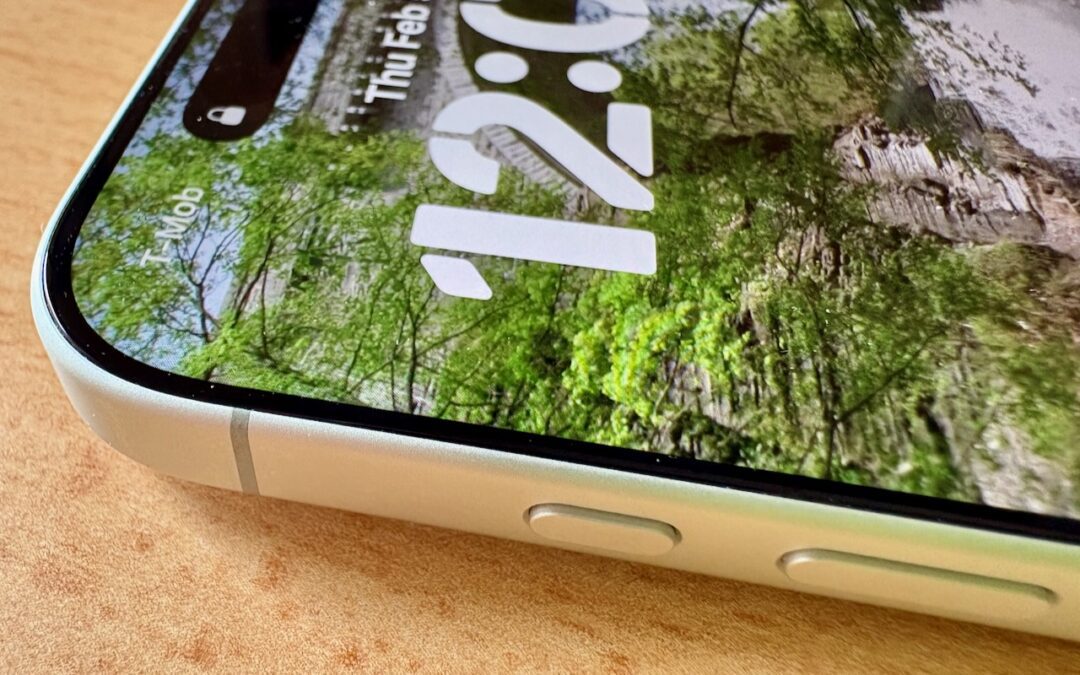
Starting with the iPhone 15 Pro and Pro Max, Apple replaced the Ring/Silent switch on the top-left edge of the iPhone with the Action button, making the new button standard across the iPhone 16 and iPhone 17 lineups in subsequent years. The Action button is a...
How to Ensure You Don’t Miss Reminders

How to Ensure You Don’t Miss Reminders

by Terry McAdams | Jan 2, 2026 | How-To, iPad, iPhone, Mac, productivity, Reminders

Recording a task in Apple’s Reminders app on your Mac, iPhone, or iPad is just the first step—the app captures what you need to do—but what matters more is being reminded to take action at the right moment. (The most important step, of course, is following through,...
« Older Entries
Next Entries »

Archives

Categories

Terms and Conditions   |   Return and Shipping Policy   |   Privacy Policy
MacTech Solutions LLC DBA MacTech Solutions™
Copyright © MacTech Solutions, LLC   |   All Rights Reserved.

The MacTech Solutions logo is property of MacTech Solutions, LLC, a Texas Limited liability company. All other logos and trademarks are the property of their respective owners. Apple, the Apple logo, iPad, iPad Pro, iPod, Mac, MacBook Air, and MacBook Pro are trademarks of Apple Inc., registered in the U.S. and other countries.

Our Location

4020 Rhea Rd, Suite 3B
Wichita Falls, TX 76308
(940) 767-MACS (6227)

Hours

Monday-Friday: 10-6
Saturday: Closed
Sunday: Closed
Terms and Conditions | Privacy Policy

MacTech Solutions LLC DBA MacTech Solutions™
Copyright © MacTech Solutions, LLC   |   All Rights Reserved.

The MacTech Solutions logo is property of MacTech Solutions, LLC, a Texas Limited liability company. All other logos and trademarks are the property of their respective owners. Apple, the Apple logo, iPad, iPad Pro, iPod, Mac, MacBook Air, and MacBook Pro are trademarks of Apple Inc., registered in the U.S. and other countries.