(940) 767-6227
  • Facebook
  • X
  • RSS
  • Facebook
  • X
  • RSS
MacTech Solutions
  • Home
  • Managed IT Services
  • Products
    • Mac
      • MacBook Air
        • MacBook Air 13-inch M5
        • MacBook Air 15-inch M5
      • MacBook Pro
        • MacBook Pro 14-inch M5
        • MacBook Pro 14-inch M5 Pro
        • MacBook Pro 16-inch M5
      • iMac
        • iMac 24-inch M4
      • Mac Mini
        • Mac mini M4
      • Mac Studio
      • Mac Pro
      • Apple Displays
        • Pro Display XDR
        • Studio Display
    • iPad
      • iPad
      • iPad mini
      • iPad Pro
        • iPad Pro M4 11-inch
        • iPad Pro M4 13-inch
      • iPad Air
        • iPad Air M2 11-inch
        • iPad Air M2 13-Inch
      • Apple Pencil
        • Apple Pencil (USB-C)
      • Keyboards
        • Smart Keyboard
        • Smart Keyboard Folio
        • iPad Magic Keyboard
    • Apple Watch
      • Apple Watch SE
      • Apple Watch Series 9
      • Apple Watch Ultra 2
    • iPod touch
    • Apple TV
      • Apple TV
      • Apple TV 4K
    • Airpods
      • AirPods Max
      • Airpods Pro (2nd Generation)
      • AirPods 4
      • AirPods 4 with Active Noice Cancellation
      • AirPods (3rd Generation)
      • AirPods (2nd Generation)
    • HomePod
      • HomePod mini
    • AppleCare+
    • Sonos
    • Adobe
      • Creative Cloud for Education
  • Service
    • Apple Authorized Service
    • Remote Support
  • Classes & Events
  • Trade Ins
  • About Us
    • Newsletter Sign Up
    • MacTech Solutions
    • The Team
    • Contact Us
  • Blog
Select Page
Two Secret Key Combos for Forward Delete on the Magic and MacBook Keyboards

Two Secret Key Combos for Forward Delete on the Magic and MacBook Keyboards

by Terry McAdams | Sep 14, 2019 | keyboard shortcut, Mac, productivity, Tip

Traditionally, extended keyboards come with a Forward Delete key that, when you press it, deletes characters to the right of the insertion point, unlike the main Delete key, which deletes to the left of the insertion point. Forward Delete still exists on Apple’s Magic...
Read More Easily on the iPhone with Safari Reader

Read More Easily on the iPhone with Safari Reader

by Terry McAdams | Jul 28, 2019 | iOS, Safari, Tip

Do you sometimes find it difficult to read articles on your iPhone because of ads, banners, extraneous layout, social media icons, and too-small fonts? We certainly do, and there’s often a quick fix for the myriad ills of modern Web pages: Safari Reader. Whenever you...
Need to Import Photos from a non-iPhone or Want to Keep Images out of Photos?

Need to Import Photos from a non-iPhone or Want to Keep Images out of Photos?

by Terry McAdams | Jul 9, 2019 | Mac, Photos, productivity, Tip

Most Mac users rely on iPhones and iPads to take photos and store them in the Photos app, which happens automatically for those who use Apple’s iCloud Photos syncing service. But what if you want to import photos from a device other than an iPhone or iPad—say a...
Did You Know You Can Drag the Scroll Bar in iOS 13?

Did You Know You Can Drag the Scroll Bar in iOS 13?

by Terry McAdams | Jul 3, 2019 | productivity, Tip

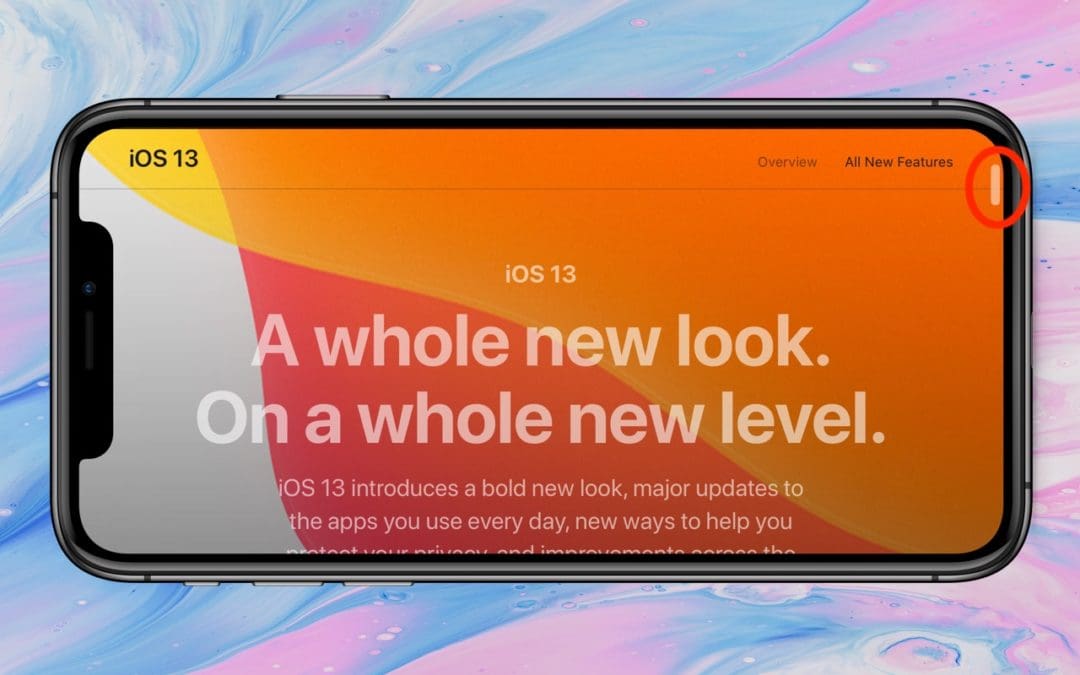
In previous versions of iOS, a scroll bar would appear on the right edge of the screen while you were swiping through a long Web page, email message, or document. But the scroller was merely an indicator of where in the page you were and how much content there was...
Did You Know You Can Use Your Mac Laptop Closed with an External Screen and Keyboard?

Did You Know You Can Use Your Mac Laptop Closed with an External Screen and Keyboard?

by Lucy McAdams | May 15, 2019 | Bluetooth, Mac, Tip

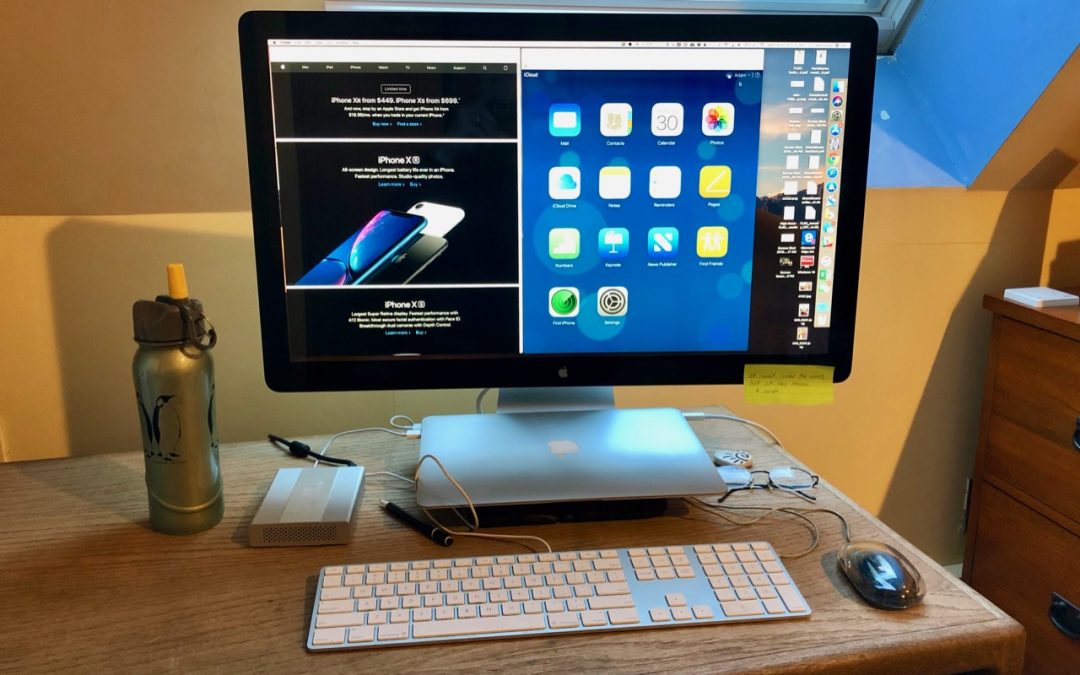
Those of you who use a Mac laptop—a MacBook, MacBook Air, or MacBook Pro—probably know you can connect it to a large external display for more screen space. But sometimes it’s not convenient to have your Mac open on your desk next to the big screen. If you’d like to...
Choose between Archiving and Deleting Messages in iOS Mail

Choose between Archiving and Deleting Messages in iOS Mail

by Lucy McAdams | May 13, 2019 | iOS, productivity, Tip

When you’re viewing a message in Mail on an iPhone or iPad, you get five buttons: Flag, Move, Archive or Delete, Reply/Forward/Print, and New Message. But what determines whether that third button is Archive or Delete? iOS hides that option in Settings > Passwords...
« Older Entries
Next Entries »

Archives

Categories

Terms and Conditions   |   Return and Shipping Policy   |   Privacy Policy
MacTech Solutions LLC DBA MacTech Solutions™
Copyright © MacTech Solutions, LLC   |   All Rights Reserved.

The MacTech Solutions logo is property of MacTech Solutions, LLC, a Texas Limited liability company. All other logos and trademarks are the property of their respective owners. Apple, the Apple logo, iPad, iPad Pro, iPod, Mac, MacBook Air, and MacBook Pro are trademarks of Apple Inc., registered in the U.S. and other countries.

Our Location

4020 Rhea Rd, Suite 3B
Wichita Falls, TX 76308
(940) 767-MACS (6227)

Hours

Monday-Friday: 10-6
Saturday: Closed
Sunday: Closed
Terms and Conditions | Privacy Policy

MacTech Solutions LLC DBA MacTech Solutions™
Copyright © MacTech Solutions, LLC   |   All Rights Reserved.

The MacTech Solutions logo is property of MacTech Solutions, LLC, a Texas Limited liability company. All other logos and trademarks are the property of their respective owners. Apple, the Apple logo, iPad, iPad Pro, iPod, Mac, MacBook Air, and MacBook Pro are trademarks of Apple Inc., registered in the U.S. and other countries.