by Terry McAdams | Jun 7, 2022 | Dictation, iCloud Photo Sharing, Messages, News, passwords
It’s that time of year again. Apple CEO Tim Cook and numerous Apple employees took the virtual stage again at the company’s Worldwide Developer Conference keynote on June 6th to share what we can expect to see later this year in macOS 13 Ventura, iOS 16, iPadOS...
by Terry McAdams | Jun 7, 2022 | MacBook Air, MacBook Pro, News
During its Worldwide Developer Conference keynote on June 6th, Apple took a brief break from showing off new features in upcoming operating systems to throw back the curtains on its new M2 chip and a pair of laptops that use it: an all-new MacBook Air and an updated...
by Terry McAdams | Jun 7, 2022 | Mac, Tip, troubleshooting
Most of the time, it’s appropriate when an auto-correct feature turns single and double hash marks into single and double curly quotes. However, there are times when the curly quotes are awkward for some reason or actively wrong. For instance, hash marks indicate feet...
by Terry McAdams | Jun 1, 2022 | How-To, iPhone, productivity
Renting a car has become more interesting in recent years due to changes automakers have been making to car electronics. For example, Apple’s CarPlay is becoming a common feature on rental cars. That lets you run Apple Maps or Google Maps on your iPhone while...
by Terry McAdams | May 26, 2022 | Calendar, iPhone, productivity, Tip
The iPhone’s Calendar app defaults to graphical views for Day, Week (rotate to landscape), Month, and Year, but only the Day view shows information about your actual events, and even then, it’s easy to miss events that are outside the times that fit onscreen. If you...
by Terry McAdams | May 17, 2022 | Mac, productivity
For our money, perhaps the most unheralded innovation of the computer age is Copy and Paste. No one thinks about the clipboard—that virtual shelf where copied text and images sit—because it just works. We all use Command-C to copy something and Command-V to paste it...
by Terry McAdams | May 12, 2022 | iPhone, productivity, Tip
Prior to iOS 13, when you were editing text on an iPhone or iPad, Apple provided a magnifying glass that showed the position of the insertion point. It worked, but was clumsier than just moving the insertion point directly, which is what Apple enabled in iOS 13 and...
by Terry McAdams | May 10, 2022 | App Store, iOS, Mac
Much has been written about the performance benefits of Apple’s M1 family of chips, but you may not have realized that M1-based Macs can also run many iPhone and iPad apps. It makes sense, given that the M1 chip grew out of the work Apple did for the A-series...
by Terry McAdams | May 5, 2022 | Mac, News, Server, Tip
In a move that should surprise no one, Apple has discontinued macOS Server, which started out as a server-focused version of Mac OS X and eventually morphed into a set of add-on network servers for macOS. Exactly what was in macOS Server varied over time, but in 2018,...
by Terry McAdams | May 2, 2022 | Ethernet, How-To, iOS, macOS, Security, Wi-Fi
One of the best ways to keep malware from infecting your computers is to avoid visiting websites designed to do just that. No one intentionally visits loadmetogetinfected.com, but malware authors employ all sorts of tricks to lure unsuspecting users into viewing...
by Terry McAdams | Apr 28, 2022 | Mac, productivity, Tip
Although the Mac’s Dock shows all your running apps, it’s often not the most efficient way to switch among them. Instead, turn to the App Switcher. You may know that pressing Command-Tab switches to the last-used app, making it easy to flip back and forth between two...
by Terry McAdams | Apr 26, 2022 | How-To, iPad, Mac, productivity
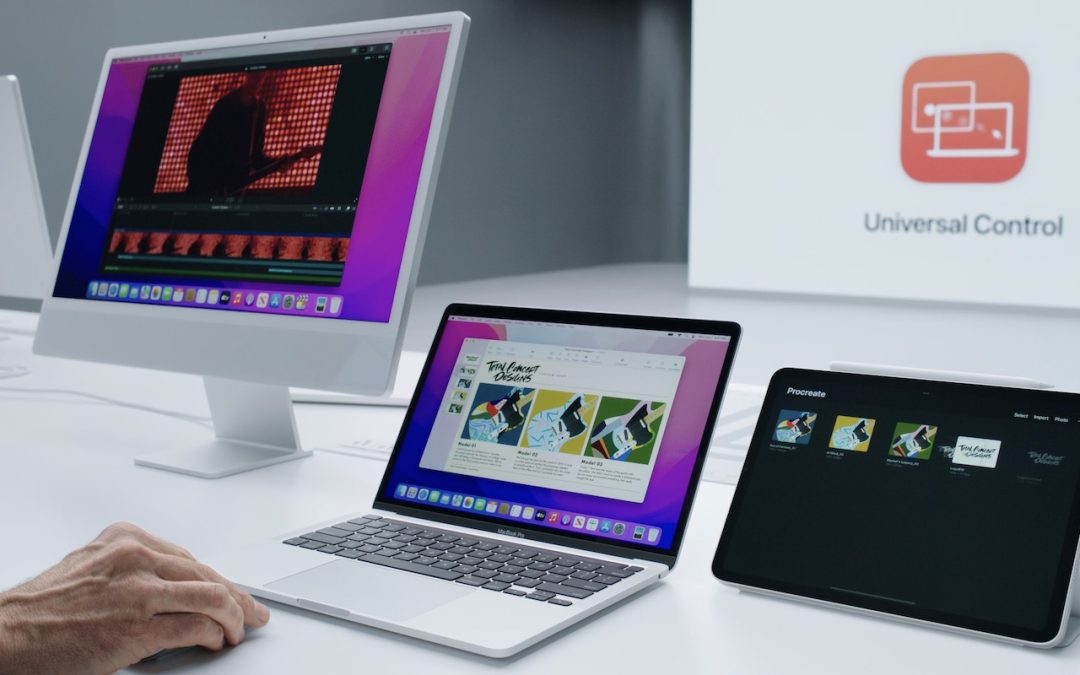
With the recent release of macOS 12.3 Monterey and iPadOS 15.4, Apple shipped Universal Control, the last major technology promised in its 2021 operating system upgrades. Universal Control enables you to use the keyboard and mouse or trackpad attached to one Mac to...
by Terry McAdams | Apr 21, 2022 | password manager, passwords, Safari, Security, Tip
Although Apple has improved the built-in password management features in macOS and iOS (you can now add notes to password entries!), third-party password managers like 1Password and LastPass are still more capable. For those still getting started using a password...
by Terry McAdams | Apr 14, 2022 | iPad, iPhone, Tip, Wi-Fi
Do you need to be careful about how much data you use with your iPhone or iPad, either via cellular or Wi-Fi? That could be true for those with Internet data caps, people using an international plan while traveling, and anyone in an area with slow data speeds. To...
by Terry McAdams | Apr 12, 2022 | Contacts, How-To, iOS, macOS, troubleshooting
In today’s world, there’s no reason to remember our contacts’ phone numbers or email addresses—that’s a job for our Macs, iPhones, and iPads. This sort of data is so core to using digital devices that Apple has long provided an ecosystem-wide solution in the form of...